
Free for iOS and Android
The gospel in your pocket
Find a Bible study near you, learn what to say when you are standing in front of somebody, and walk with the people who say yes. Free, with no ads, no purchases and no donation screen anywhere in it.
What it is
For ordinary Christians
Activate the Nation is an app for people who want to share their faith and would rather not do it alone. It carries the tools for the conversation, the groups that meet near you, and the teaching that takes somebody from new believer to disciple-maker.
Free. No purchases, no subscriptions, no ads, and no donation screen anywhere in it.
Inside the app
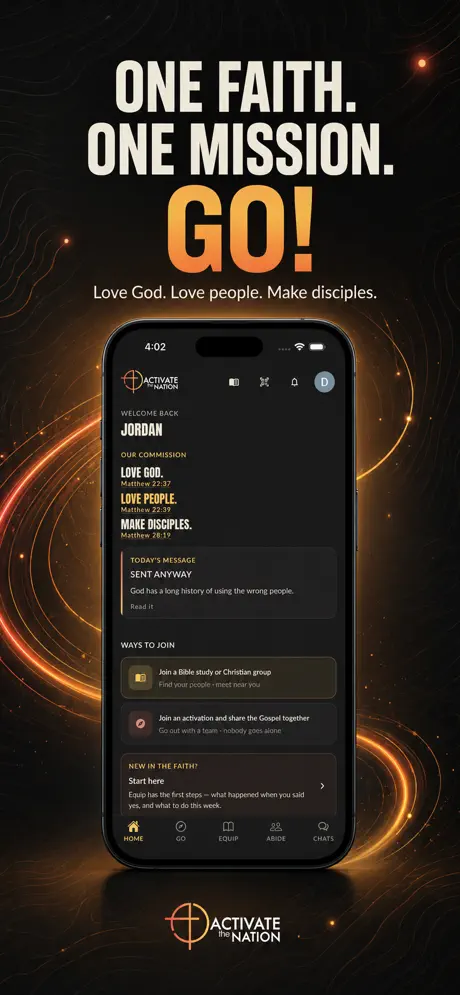
Five tabs
- HomeYour commission, today's message, and a short list of things to do that ticks itself off and then gets out of the way.
- GoWhat to say when you are standing in front of somebody — how to open, how to tell the good news in two minutes, what to do when they push back, and what to do when they say yes.
- EquipShort lessons in tracks, quiz decks, your testimony in three questions, and ninety seconds to practise your whole story.
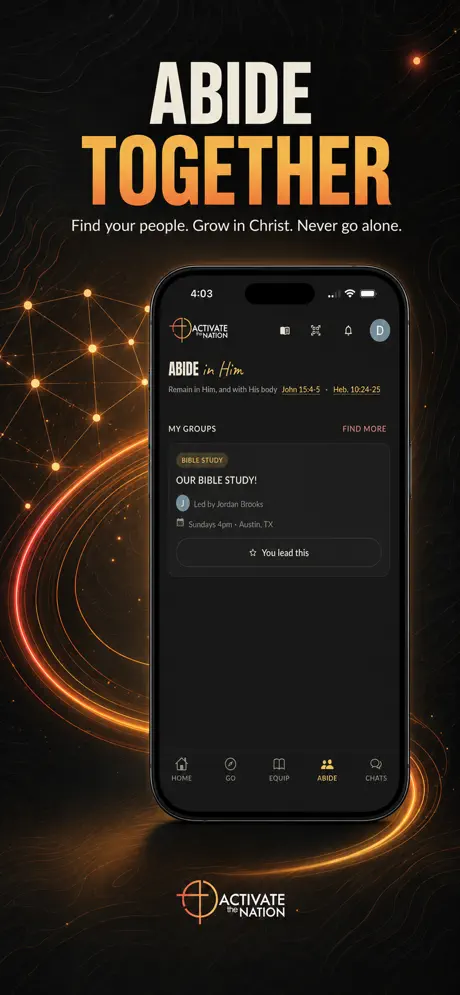
- AbideBible studies and community groups near you, with a request to join. A group's meeting address is never listed publicly.
- ChatsYour group between gatherings, and the person you met this morning. You connect by scanning a code face to face — no phone numbers change hands.
Find your people
Bible study groups near you
The app lists Bible studies and Christian community groups meeting in real rooms across the country. Ask to join, a leader accepts you, and the meeting place and time follow — they are never published publicly.
Safety first
Built to protect the people in it
- Private by default. There is no public feed. Nothing you write is broadcast, and nobody sees your number.
- Screened before it is delivered. Every message is checked before it reaches anyone, not after.
- Help is one tap away. Report or block from any conversation, and a real person reviews it.
- Yours to delete. Your account, and the data behind it, from inside the app.
one faith · one mission
Go.
Sign in with your phone number or your email. The first time you sign in, your account is created — there is no separate form.